
Toyota Highlander Service Manual: Problem symptoms table
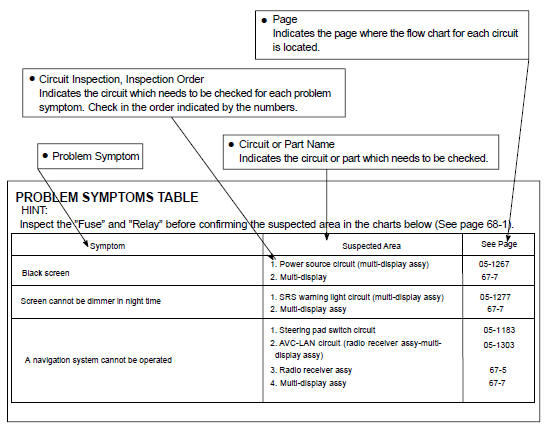
The suspected circuits or parts for each problem symptom are shown in the table below. Use this table to troubleshoot when, during a DTC check, a "Normal" code is displayed but the problem is still occurring. Numbers in the table show the inspection order in which the circuits or parts should be checked.
HINT: In some cases, the problem is not detected by the diagnostic system even though a problem symptom is present. It is possible that the problem is occurring outside the detection range of the diagnostic system, or that the problem is occurring in a completely different system.
 Diagnostic trouble code chart
Use Diagnostic Trouble Codes (DTCs) (from the DTC checks) in the table below
to determine the trouble
area and proper inspection procedure. The Supplemental Restraint System (SRS)
diagnostic trou ...
 Circuit inspection
How to read and use each page is shown below.
...
More about Toyota Highlander:
Overhaul
1. REMOVE GENERATOR PULLEY
SST 09820-63010 (09820-06010, 09820-06020)
HINT:
(a) Hold SST (1-A) with a torque wrench, and tighten SST
(1-B) clockwise to the specified torque.
Torque: 39 NVm (400 kgfVcm, 29 ftVlbf)
NOTICE:
Check that SST is secured to the rotor shaft.
(b) Mount S ...
